Everything the old messengers did. And the things they couldn't.
OshOsh is built for two to five friends, not for the whole world. It runs on your Macs and talks to a tiny private backend that only ever sees encrypted messages; nothing is recorded, nothing is sold.
The contact list you remember
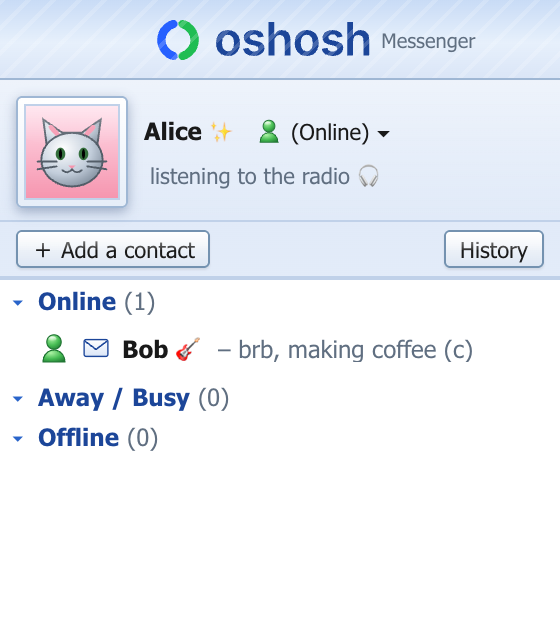
Your display picture, your personal message, your friends grouped under Online, Away / Busy and Offline with the classic glossy status glyphs.
- Someone signs in → a popup slides up from the corner, with a sound
- Unread messages turn the name bold with a little envelope
- Add a friend by e-mail; they get the "X has added you" prompt
Conversations with personality
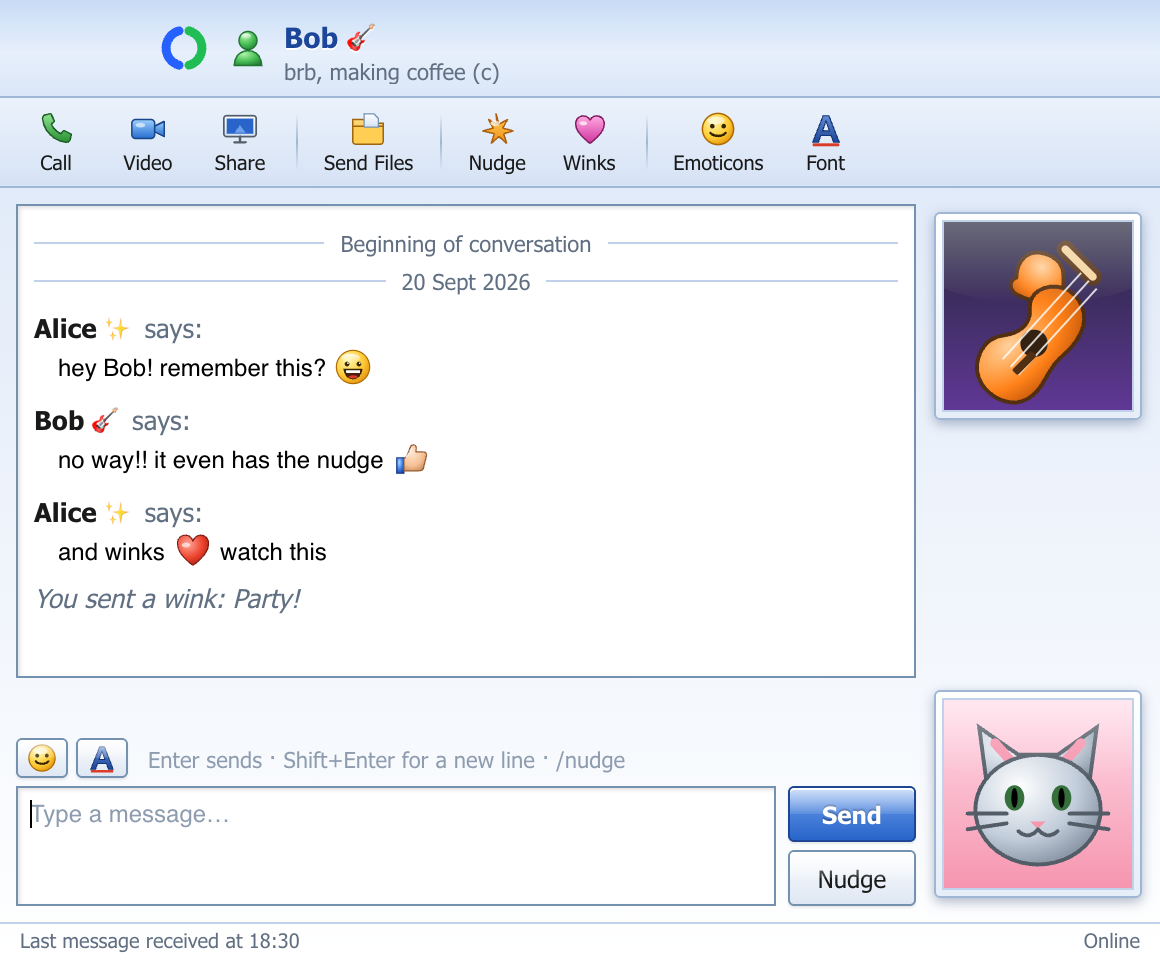
"Alice says:" lines, your own font and colour, 45 hand-drawn glossy emoticons that appear as you type :) or (Y), winks that rain over the window, and the nudge — it really shakes their window.
- Messages sent while your friend is away wait for them, with a "You have N new messages" line
- Full history on every Mac, searchable
One tab per topic new
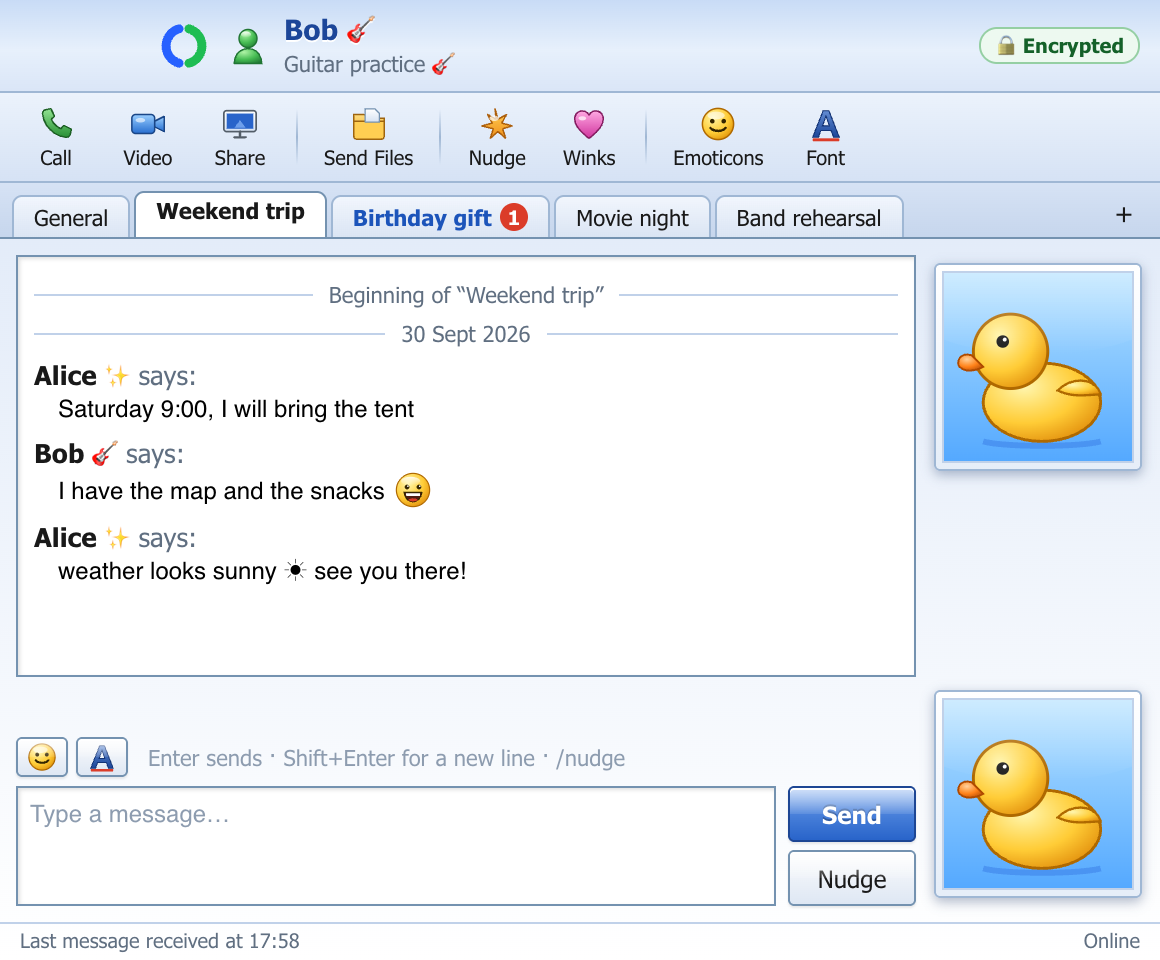
Browser-style tabs under the toolbar keep your subjects apart: the weekend trip in one tab, the birthday gift in another, everything else in General. Your friend sees the same tabs, live.
- A red counter shows which tab has something new
- Double-click to rename; tabs that don't fit wait behind »
- Messages, files and nudges land in the tab you are in
End-to-end encrypted new
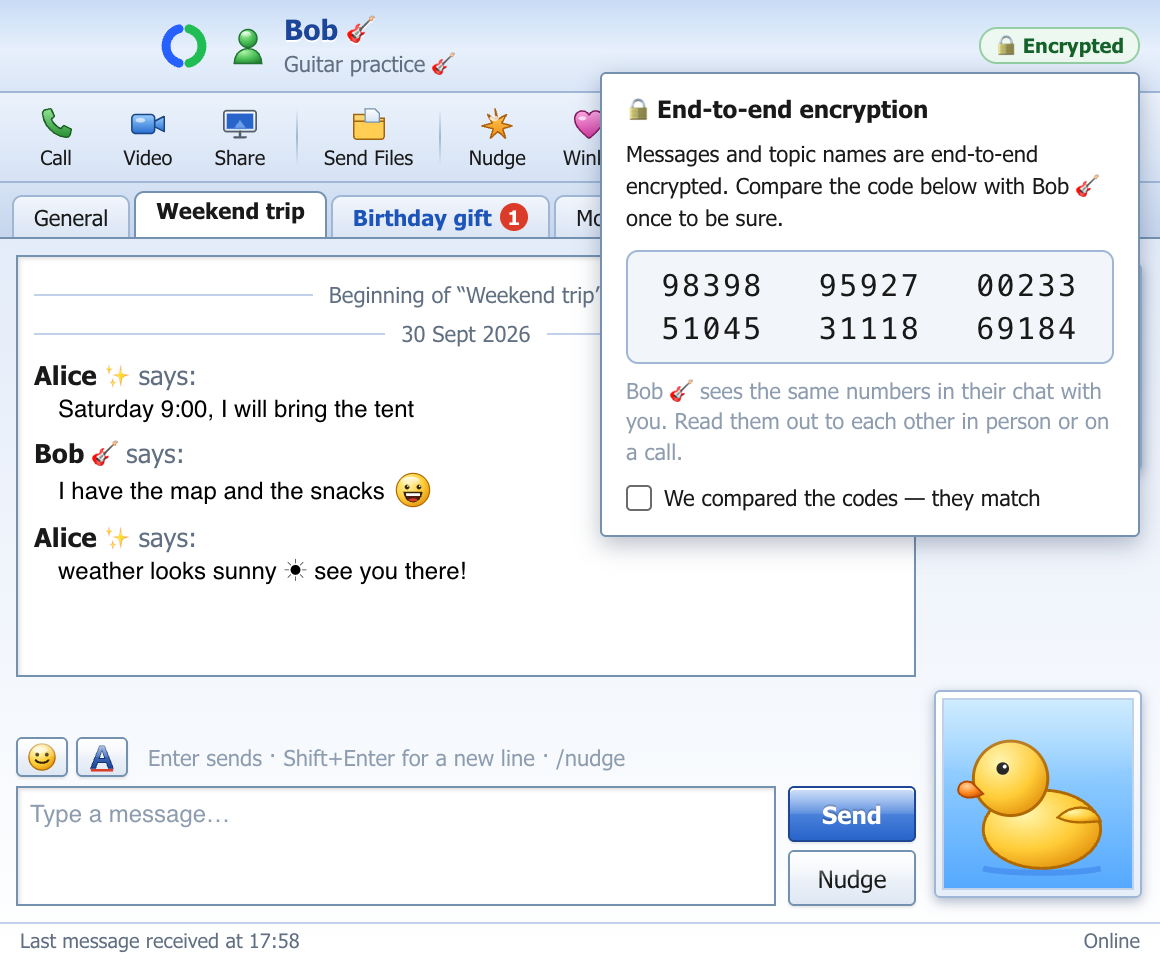
Messages, topic names, call log lines, file names and files left in the cloud are encrypted on your computer and opened only on your friend's. The server stores locked boxes — not the owner, not a hacker, nobody else can read them. Calls and screen sharing were encrypted from the start.
- A backup password lets you unlock your history on a new computer
- Compare a 30-digit security code once — then you know nobody sits in the middle
- No quiet fallback: nothing is ever sent unencrypted
- The copy on your computer is encrypted too, with a key kept in the macOS Keychain / Windows' own protected store
Files, straight from computer to computer
Drop a file on the chat. When you are both online it goes directly between your computers — no size limit, no server in between, encrypted. If your friend is offline, leave it in the cloud (up to 100 MB, encrypted before it leaves your computer) and they pick it up later.
- Accept / Decline before anything is written to disk
- Transfers resume where they stopped after a disconnect
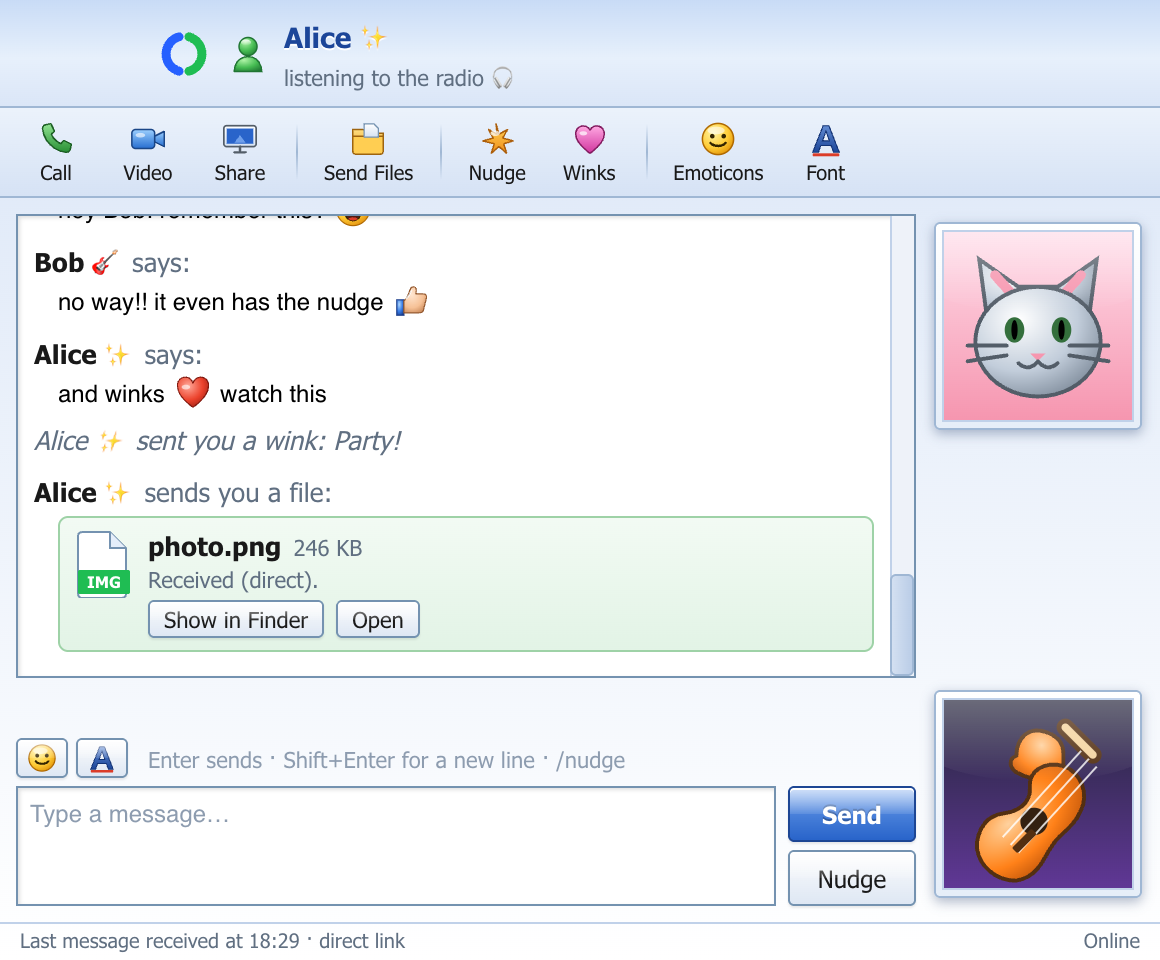
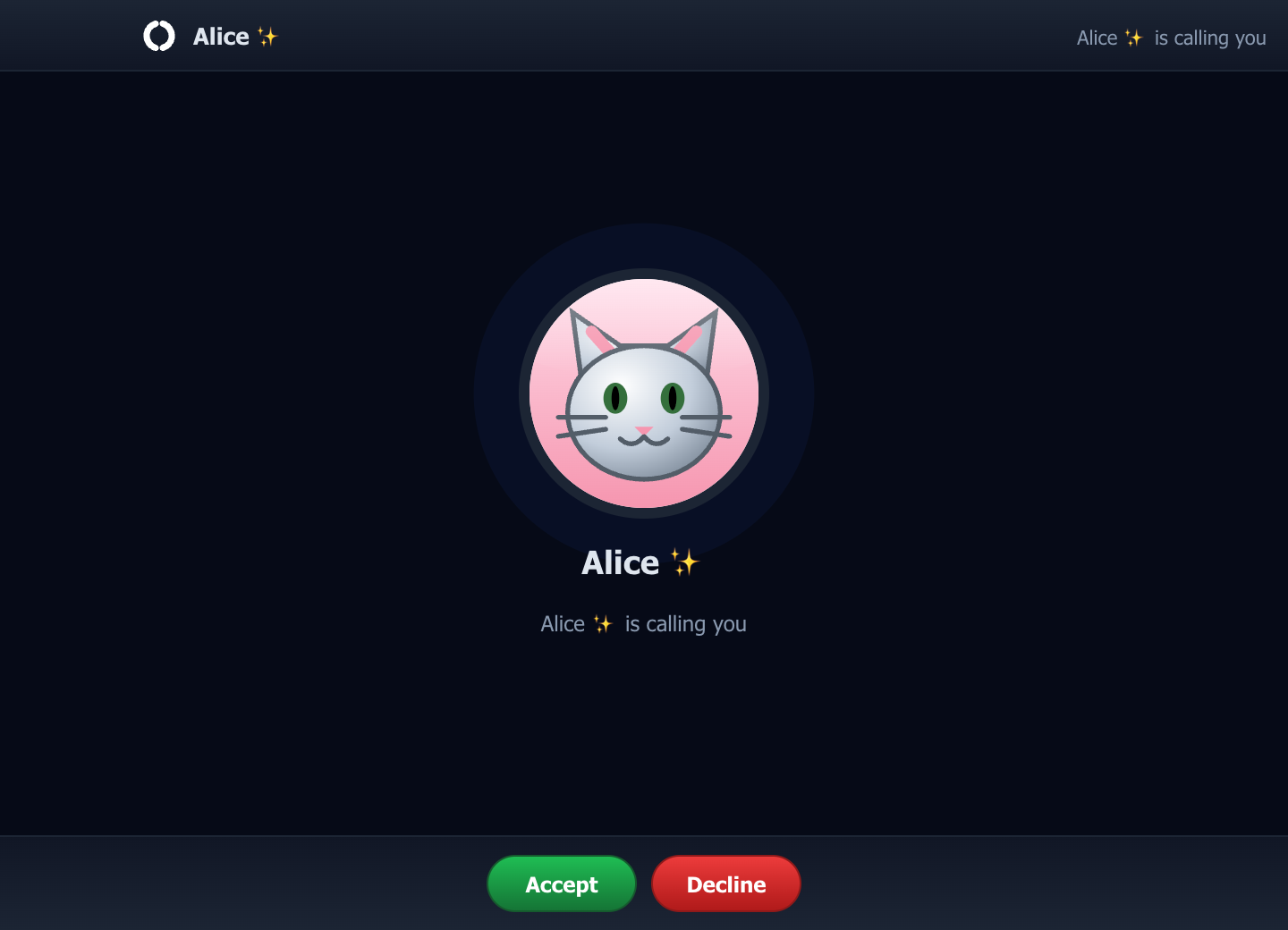
Calls, video and screen sharing
Voice and video calls, sharing your whole screen or a single window, all peer-to-peer. Switch to another app and the call shrinks to a small always-on-top window in the corner — with your camera on, you and your friend stacked, same size.
- Mute, camera on/off, share screen — one row of buttons
- Smooth screen sharing in 1080p, optionally with your computer's sound
- Your own ringtones: built-in, sound packs, or any mp3
Your history, your call new
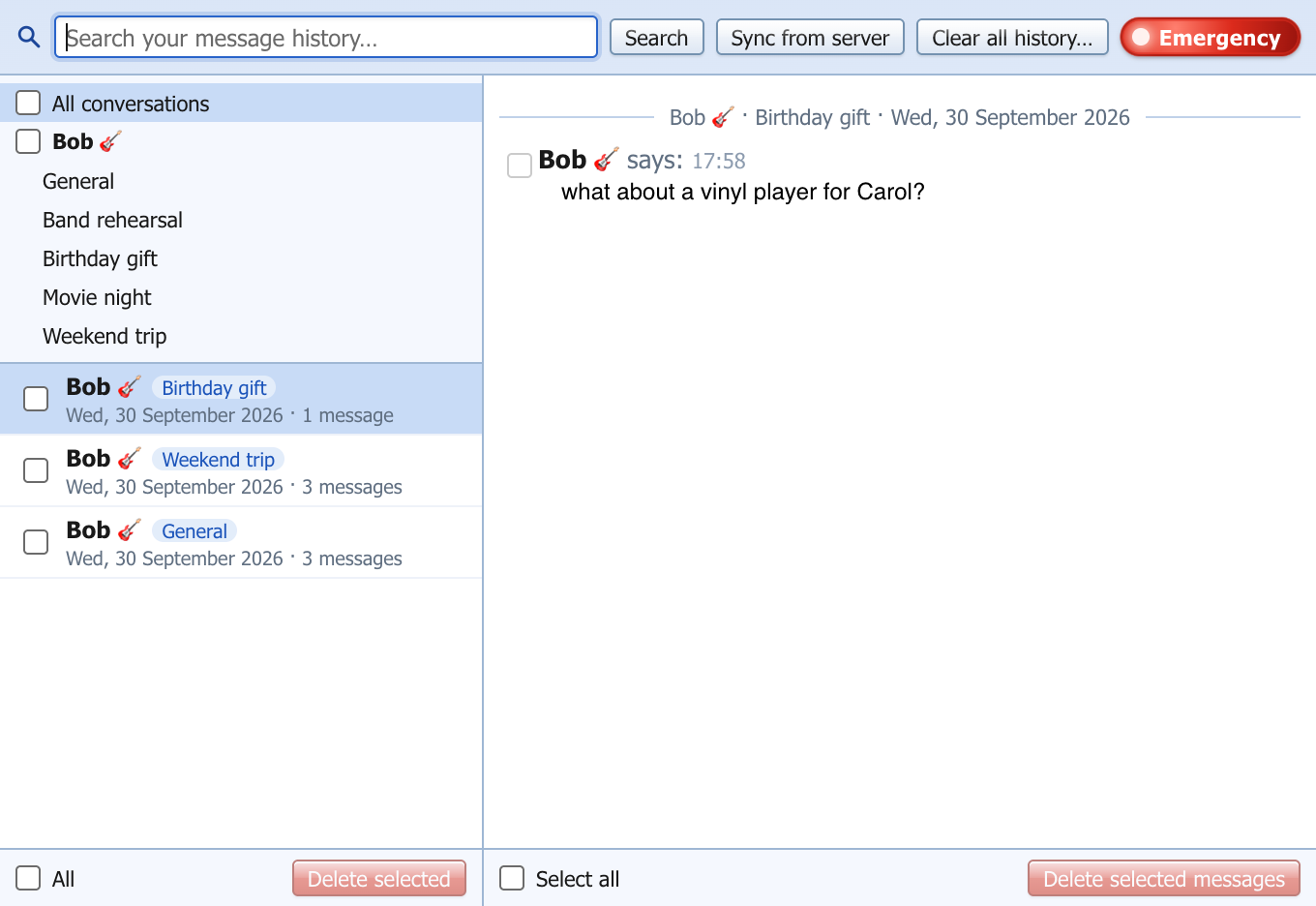
Message History lists every conversation by day and by topic, with search. Tick days or single messages and delete them, clear a whole topic or everything — from your side, while your friend keeps their copy.
- Search finds istanbul in "İSTANBUL" — Turkish letters included
- Deleted messages are wiped from the disk, not just hidden
- And for the rare day you need it: the red Emergency button ↓
The red button new
When a conversation has to disappear: tick the people, press Emergency, break the glass, press the button. Everything with them is deleted from the server for both of you — messages, topics, files — and their OshOsh wipes its copy too. Try it here; this one only pretends.
- Weekend trip · 24 messages
- Birthday gift · 9 messages
- General · 57 messages
Alice says:
Saturday 9:00, I will bring the tent
Bob says:
I have the map and the snacks 😄
Alice says:
weather looks sunny ☀ see you there!
- Emergency — the red button in Message History, always pulsing.
- Break the glass — the button underneath can't be pressed before.
- Sure? — one more press on the exposed button.
- Boom — and it's gone, for both of you.
Deleting only from your own history (days, messages, topics) is a normal click — the Emergency button is for deleting from the server for both sides. The animation stays small on purpose.
Download
Mac and Windows users talk to each other normally — same accounts, same encryption. The sound pack is optional and installs into the app.
OshOsh Tones sound pack
Extra ringtones and notification sounds for every event.
♪ Download OshOsh-Tones-1.0.0.oshoshpackInstall in a minute
- Open the
.dmgand drag OshOsh into Applications. - The app is not signed with an Apple certificate, so the first launch needs one extra step: right-click OshOsh.app → Open → Open, or run this once in Terminal:
xattr -cr /Applications/OshOsh.app
- Start OshOsh, click Get a new account, then add your friend by e-mail. When they click Allow, you see each other online.
- Choose a backup password when OshOsh asks to protect your messages — write it down; nobody can recover it. Then click the 🔒 Encrypted badge in a chat and compare the code with your friend once.
- Sound pack: double-click the
.oshoshpackfile (or Options → Sounds → Install sound pack…).
On Windows 10 / 11
- Run
OshOsh-Setup-0.2.2.exe. It installs for your user only — no admin password needed — and adds OshOsh to the Start menu and the desktop. - The installer is not signed with a paid certificate, so Windows may show “Windows protected your PC”: click More info → Run anyway. This happens once.
- Then the same steps as on the Mac: create an account (or sign in), set your backup password, add your friends.
In the box
Updating: download the new .dmg and drag OshOsh over the old one. Account, history and settings stay. From 0.2 on, messages are end-to-end encrypted, so both of you need 0.2 or newer to write to each other — update on the same day.